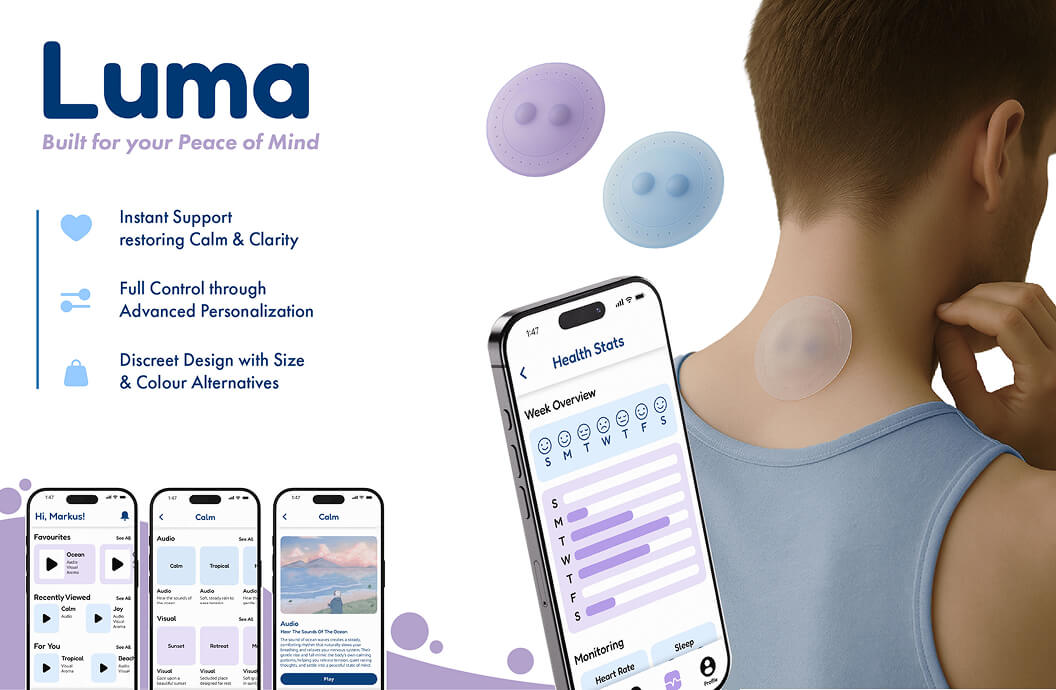
A conceptual app and wearable device that supports individuals with PTSD by monitoring symptoms and promoting emotional regulation.
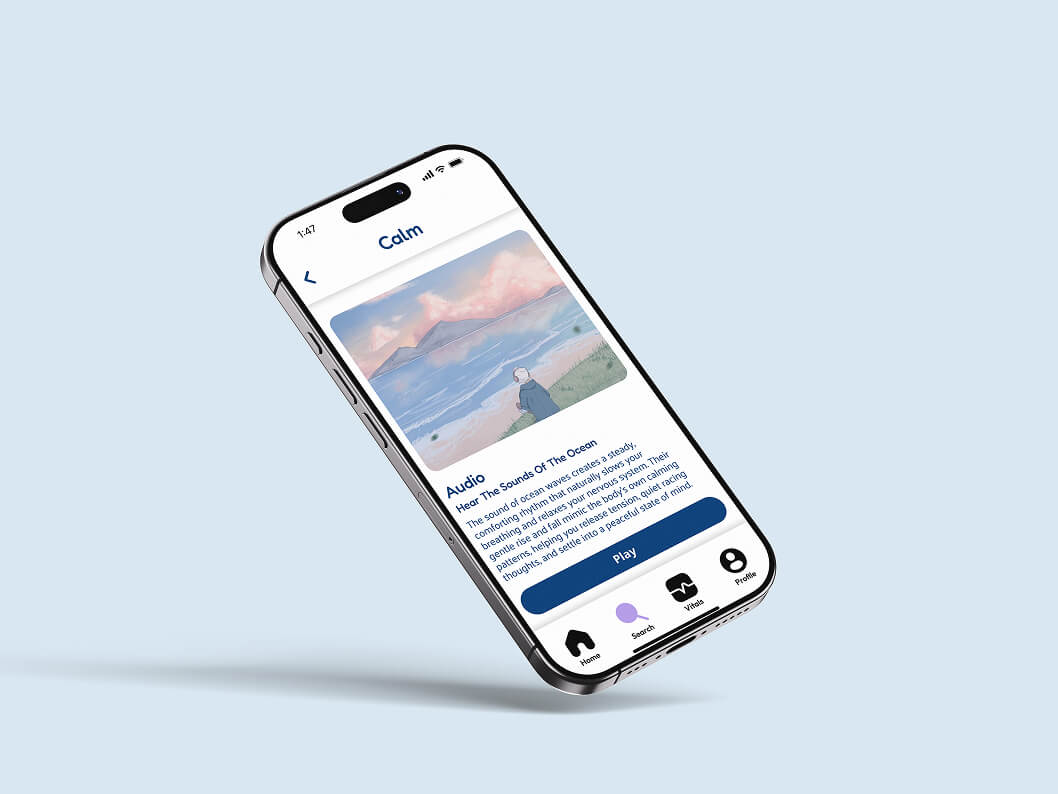
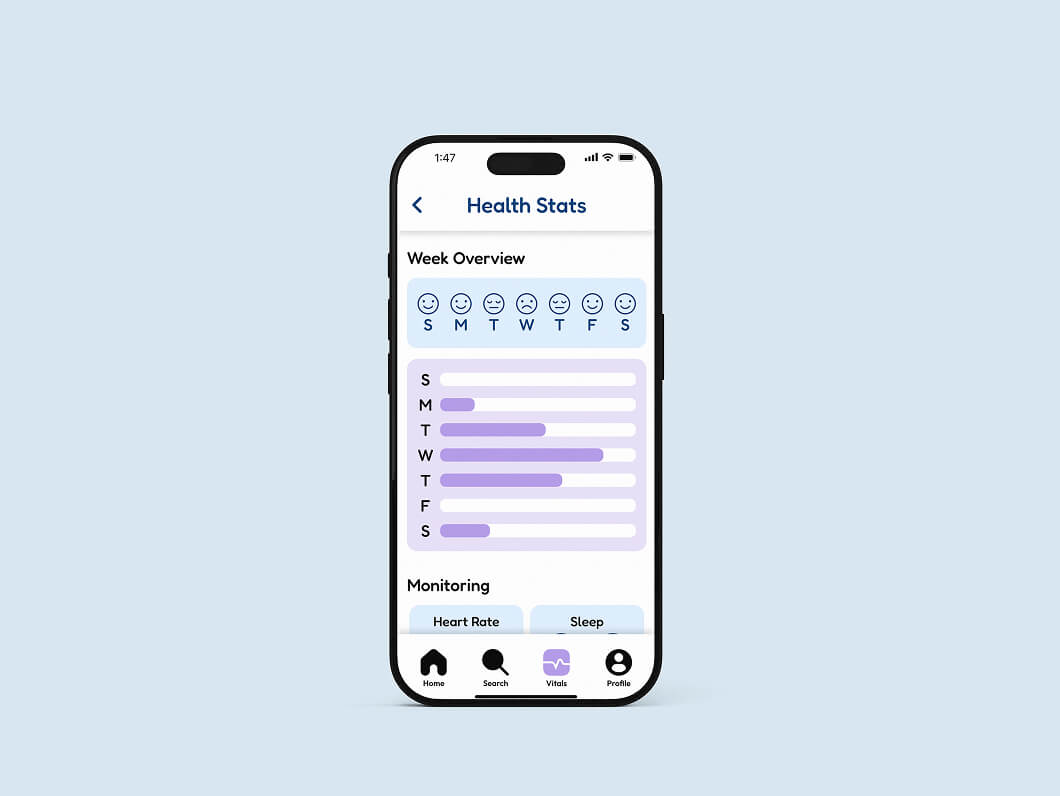
Luma is a conceptual app and wearable technology project designed to help monitor and regulate PTSD symptoms in real time. The wearable device detects oncoming triggers and physiological responses, then activates supportive stimuli—such as aromatherapy, visual cues, or sound—to help calm the user and reduce symptom intensity. Paired with the app, Luma translates data into clear, accessible insights, empowering users to better understand their triggers and maintain control during stressful moments.
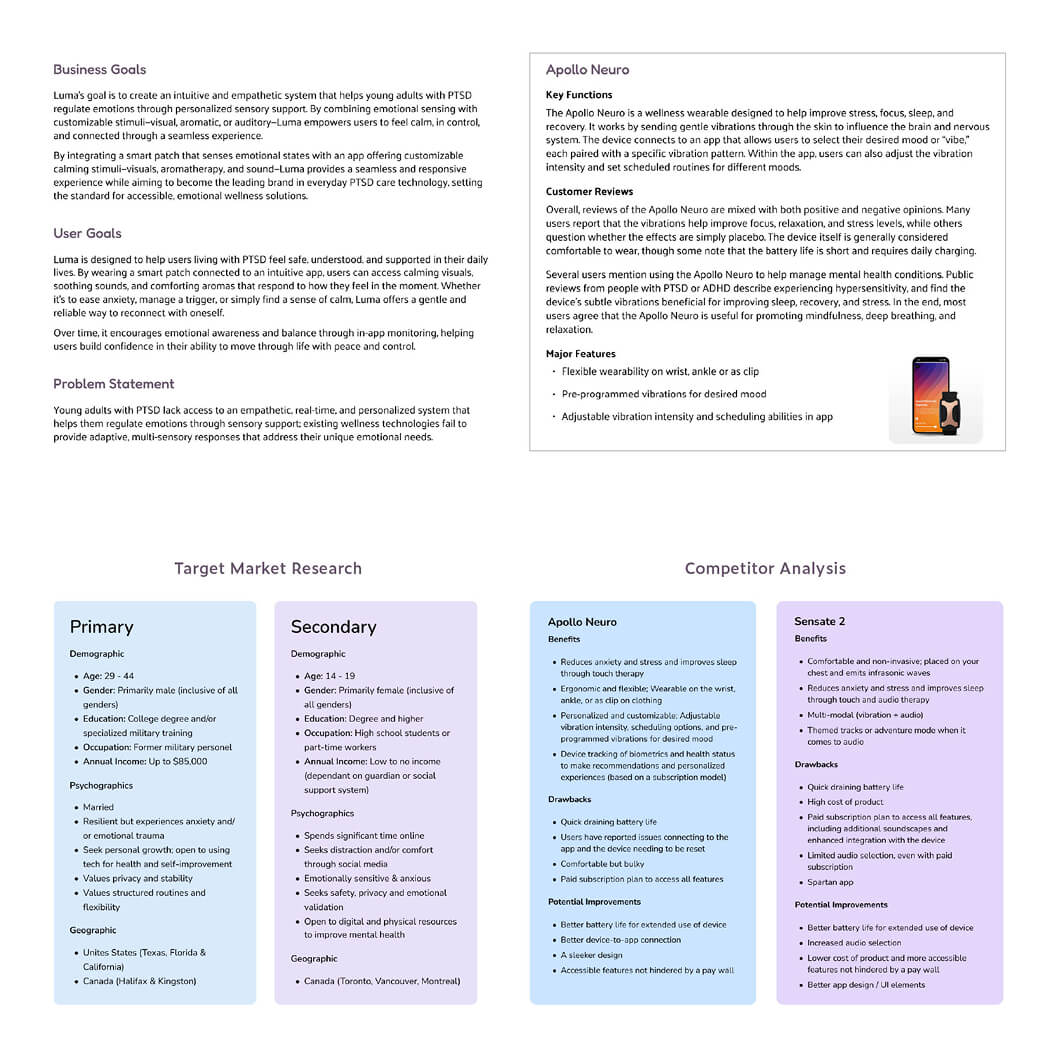
The research phase focused on understanding the target users, their needs, and the broader mental health technology landscape. Competitors and previous products were analyzed to identify gaps in usability, functionality, and user experience. Business goals and user objectives were explored to ensure the solution would be both viable and meaningful. These insights provided a foundation for designing Luma to effectively support PTSD symptom monitoring and regulation.
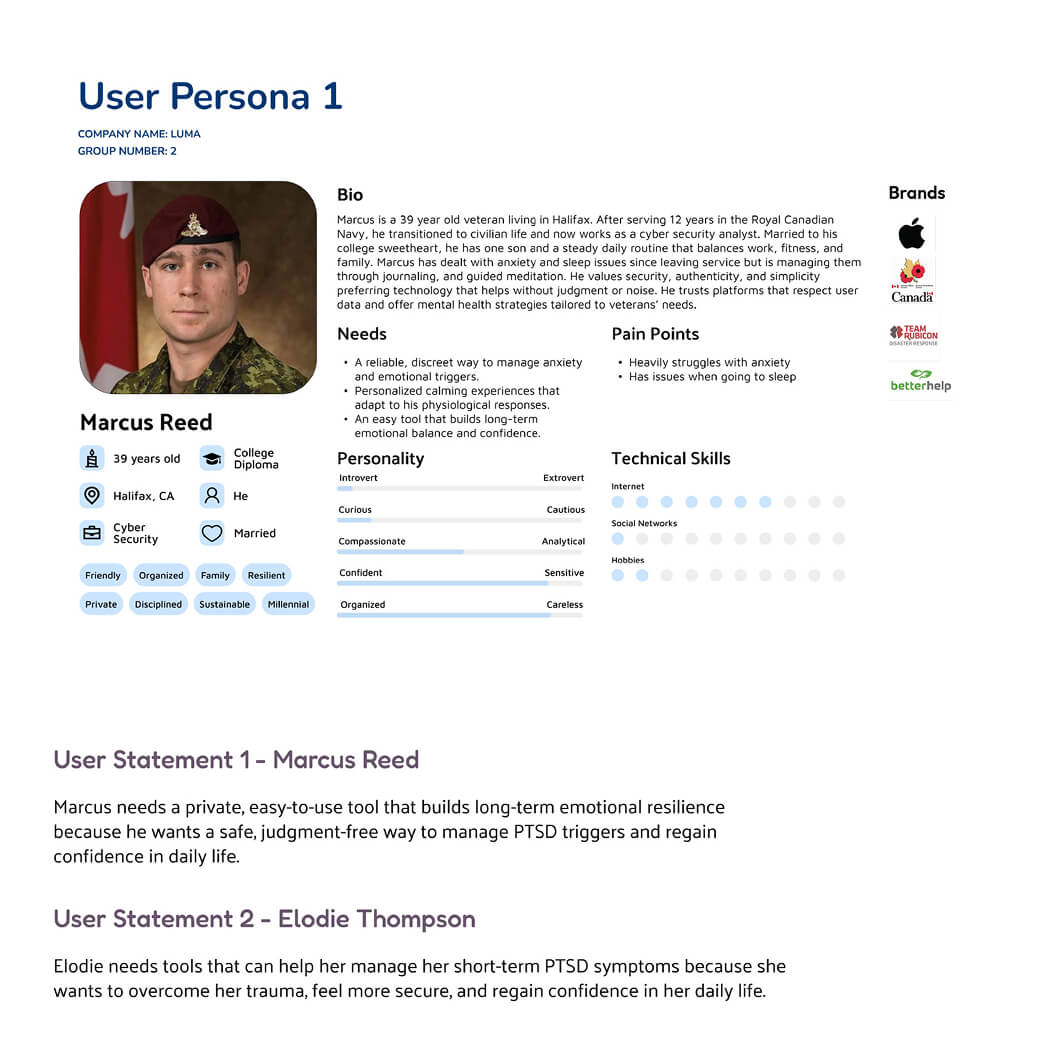
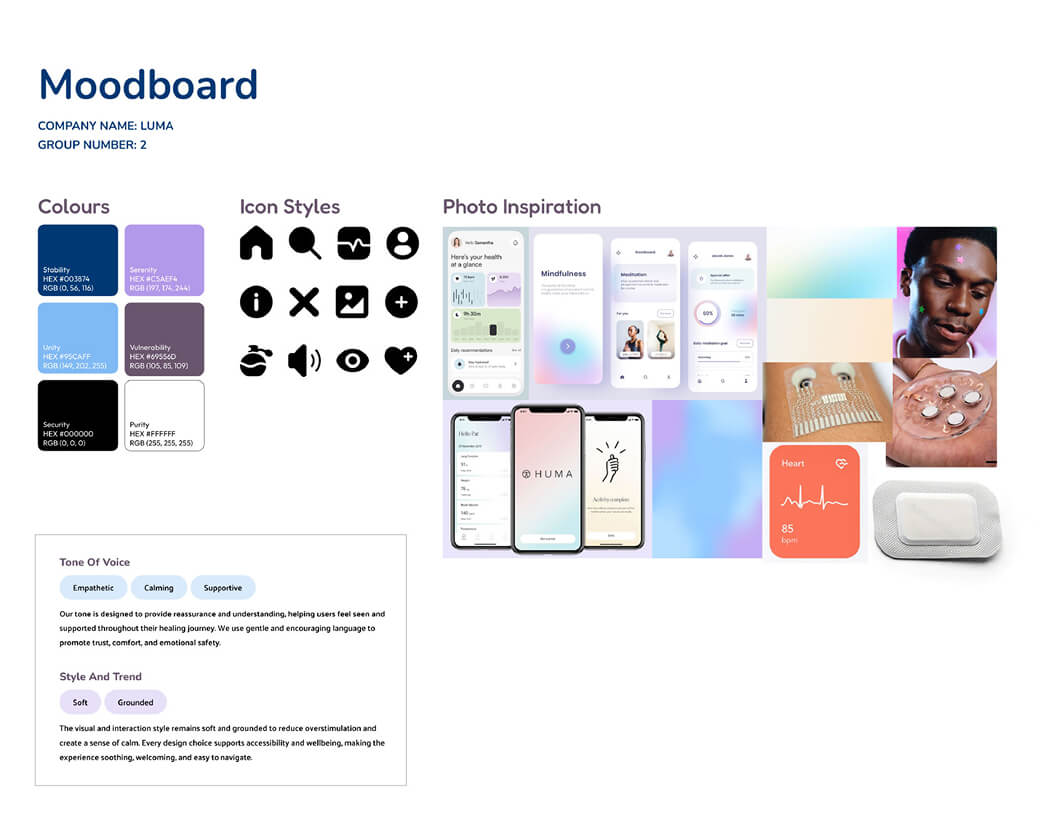
The analysis and ideation phase involved the creation of user personas to understand the needs, behaviors, and goals of the target audience. The app’s tone of voice was defined while moodboarding established the visual and emotional direction of the product. Product flow diagrams, information architecture, and user flow diagrams were created to map navigation and structure, ensuring a seamless and intuitive experience. These tools guided early design decisions and provided a foundation for translating research insights into a cohesive, user-centered solution.
.jpg)
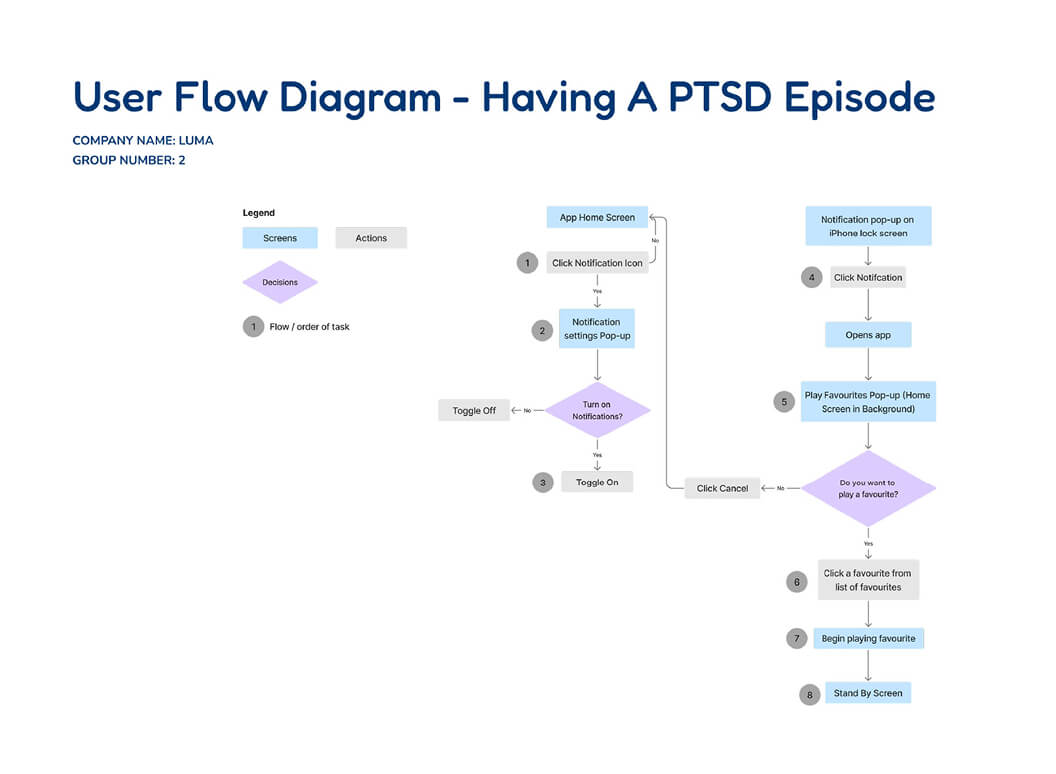
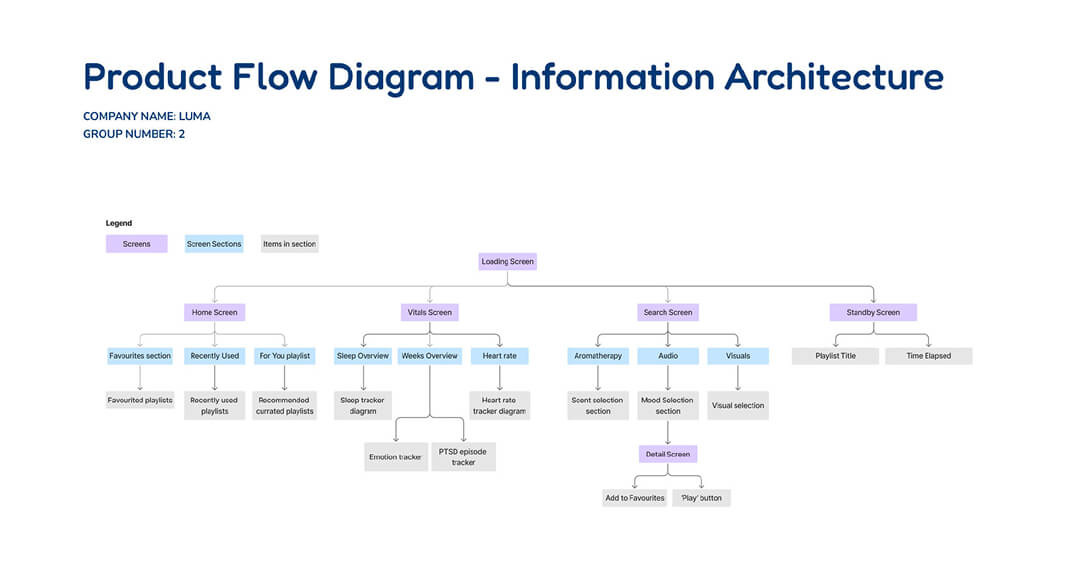
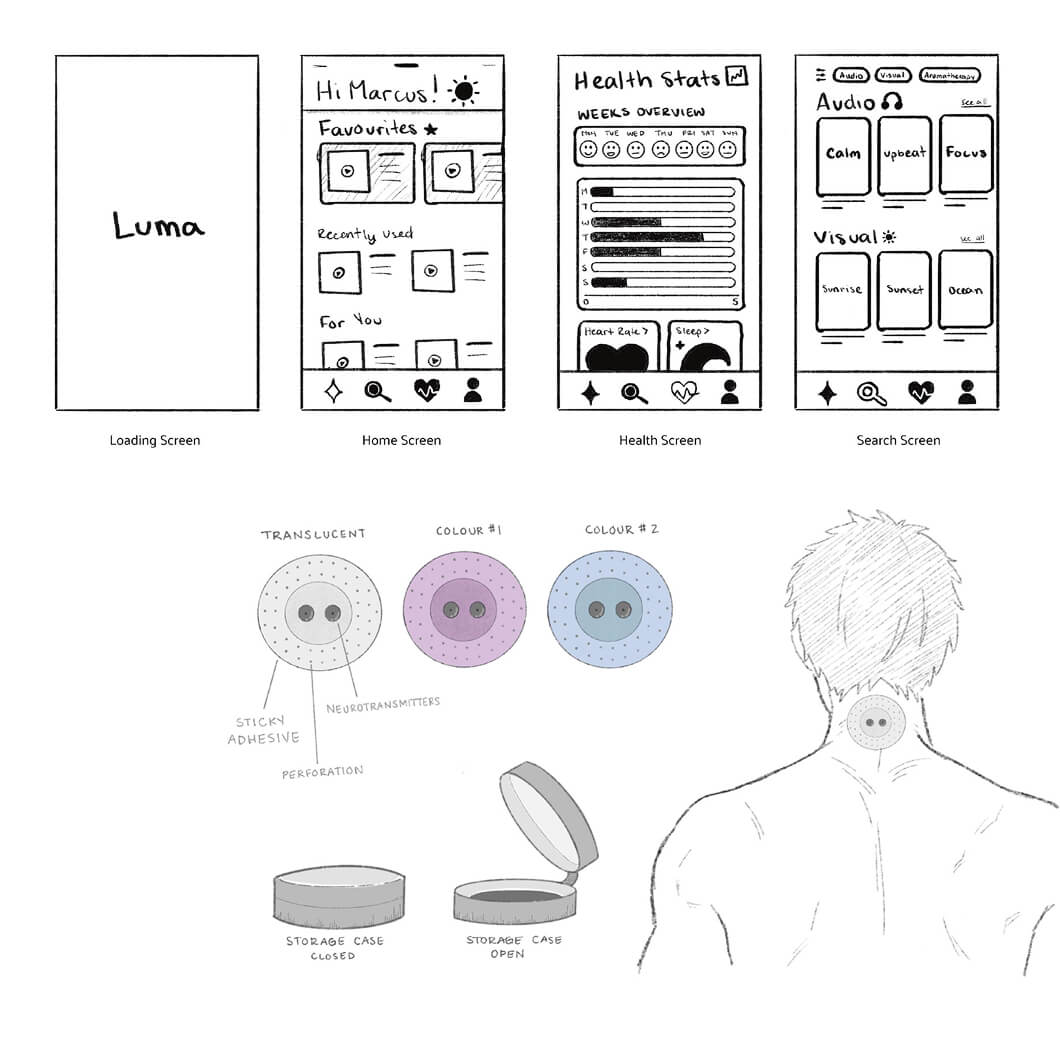
The early design phase focused on low-fidelity wireframes and product sketches to explore layout, features, and how users would navigate through the app. These rough designs allowed for experimentation to identify what worked without worrying about visuals. Testing and iterating on these sketches helped uncover usability issues and opportunities early on. This phase set the foundation for more polished designs and a smoother user experience.
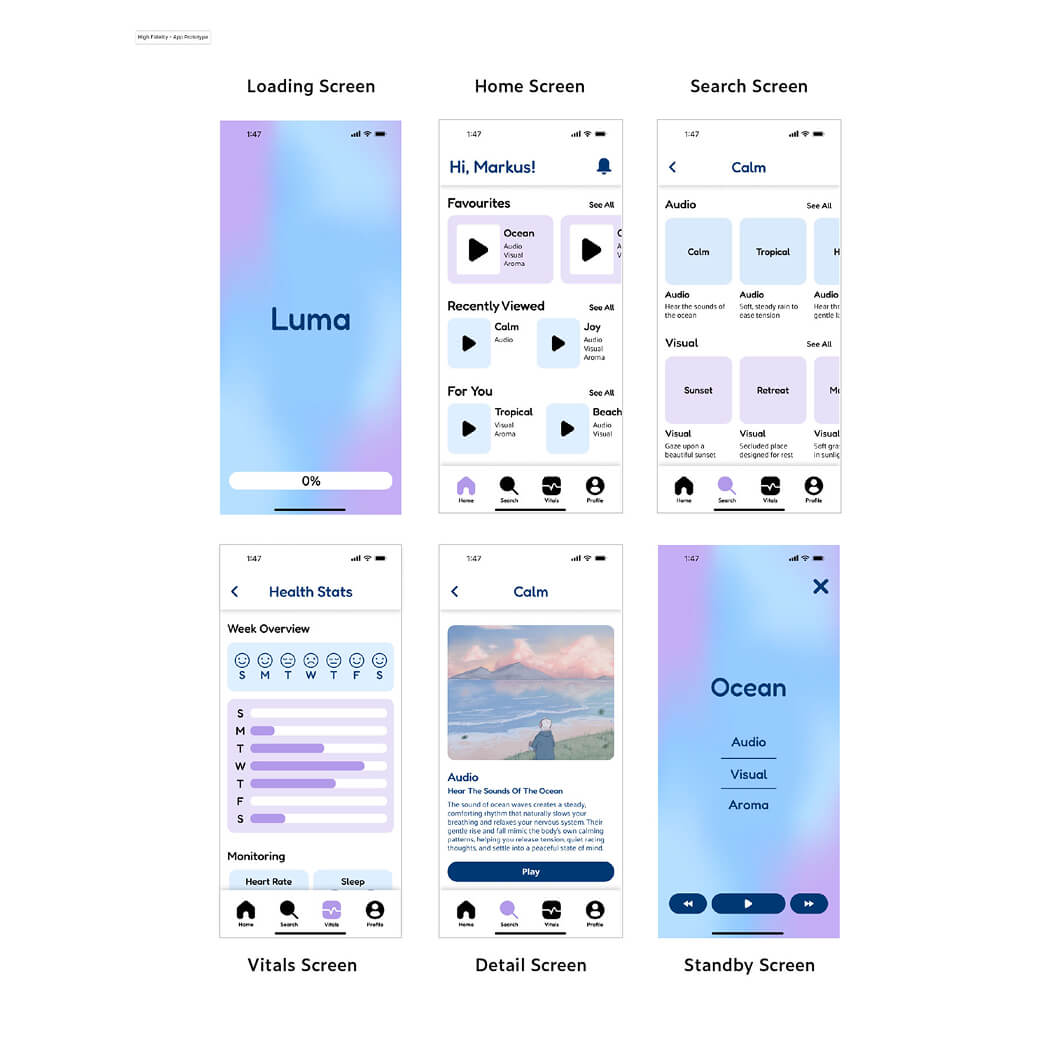
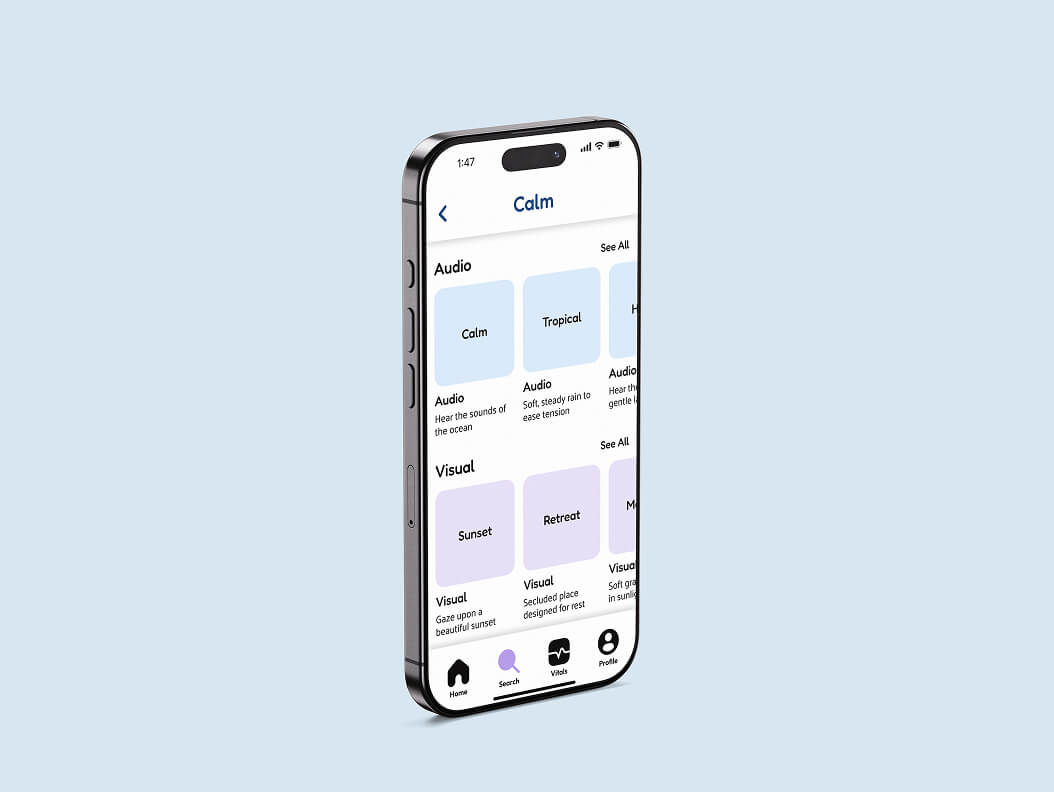
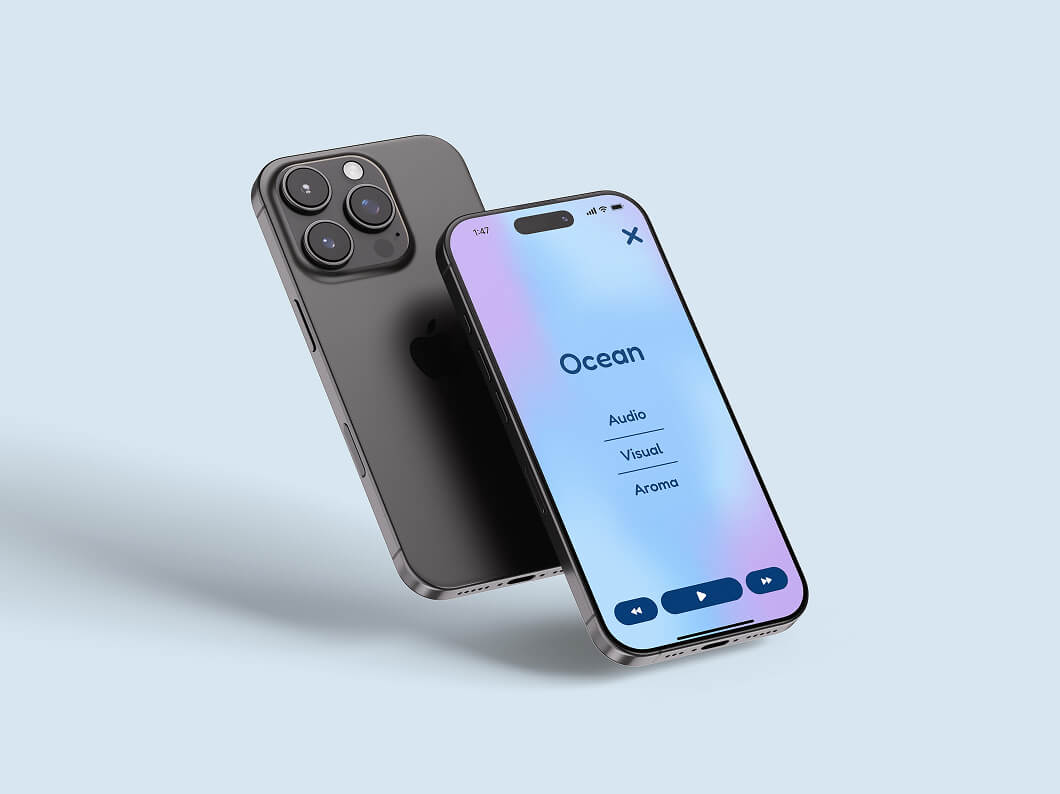
High-fidelity wireframes involved refining the initial layouts and applying an established style guide to simulate the finished app. Visual elements, typography, and colour were integrated to create a realistic representation of the final product. The app was also prototyped to test usability, interaction, and overall ease of use. This phase helped validate design decisions and ensured the user experience was intuitive and cohesive before final production.
This project reinforced the importance of grounding design decisions in user research and understanding real-world needs. Iterating through low- and high-fidelity wireframes highlighted how testing early concepts can uncover usability challenges before finalizing visuals. Overall, the project strengthened skills in user-centered design, prototyping, and translating complex workflows into clear, accessible interfaces.